Android SDK 참조
Aghanim Android SDK는 안드로이드 앱 내에서 체크아웃을 사용할 수 있도록 합니다.
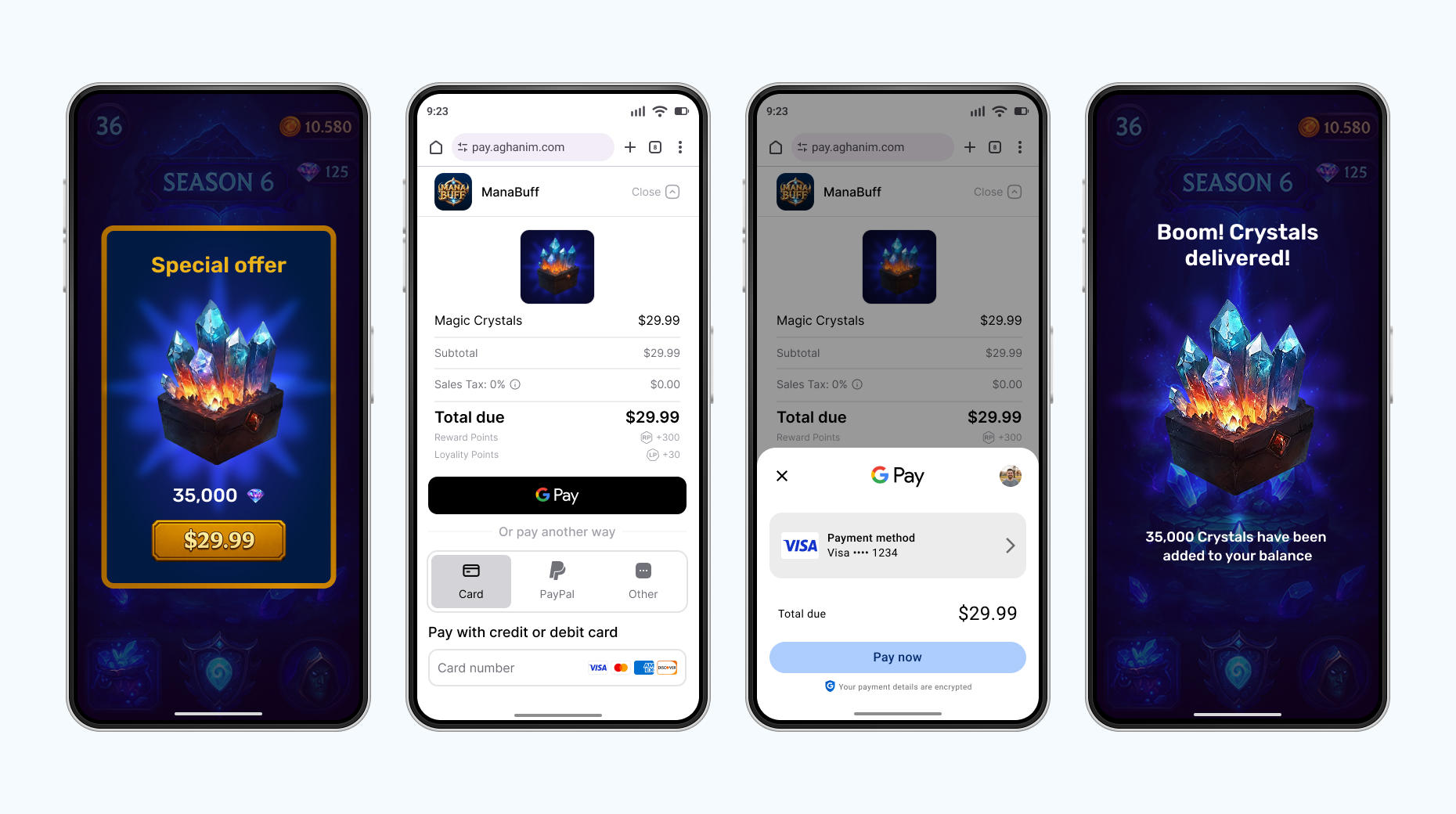
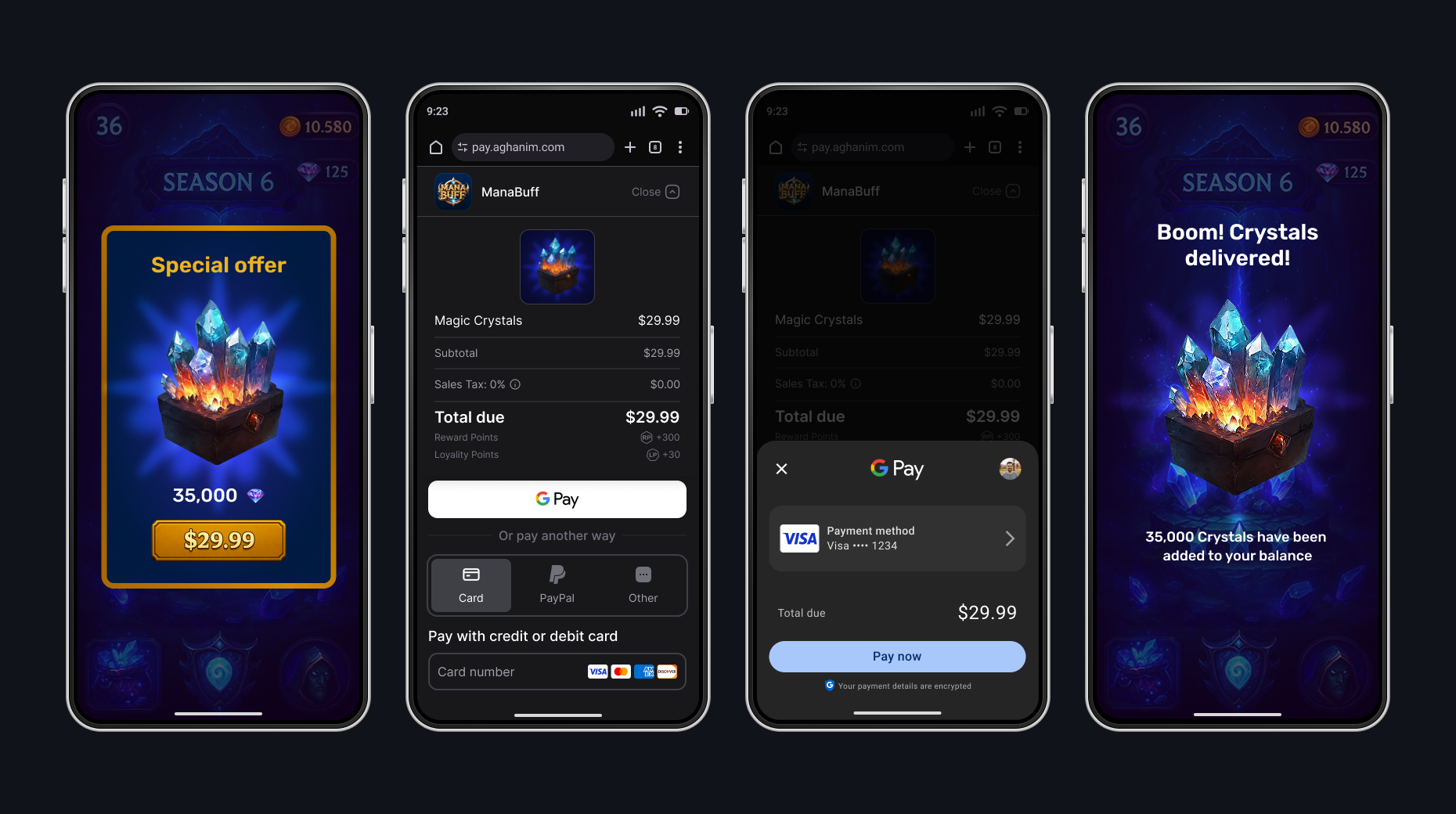
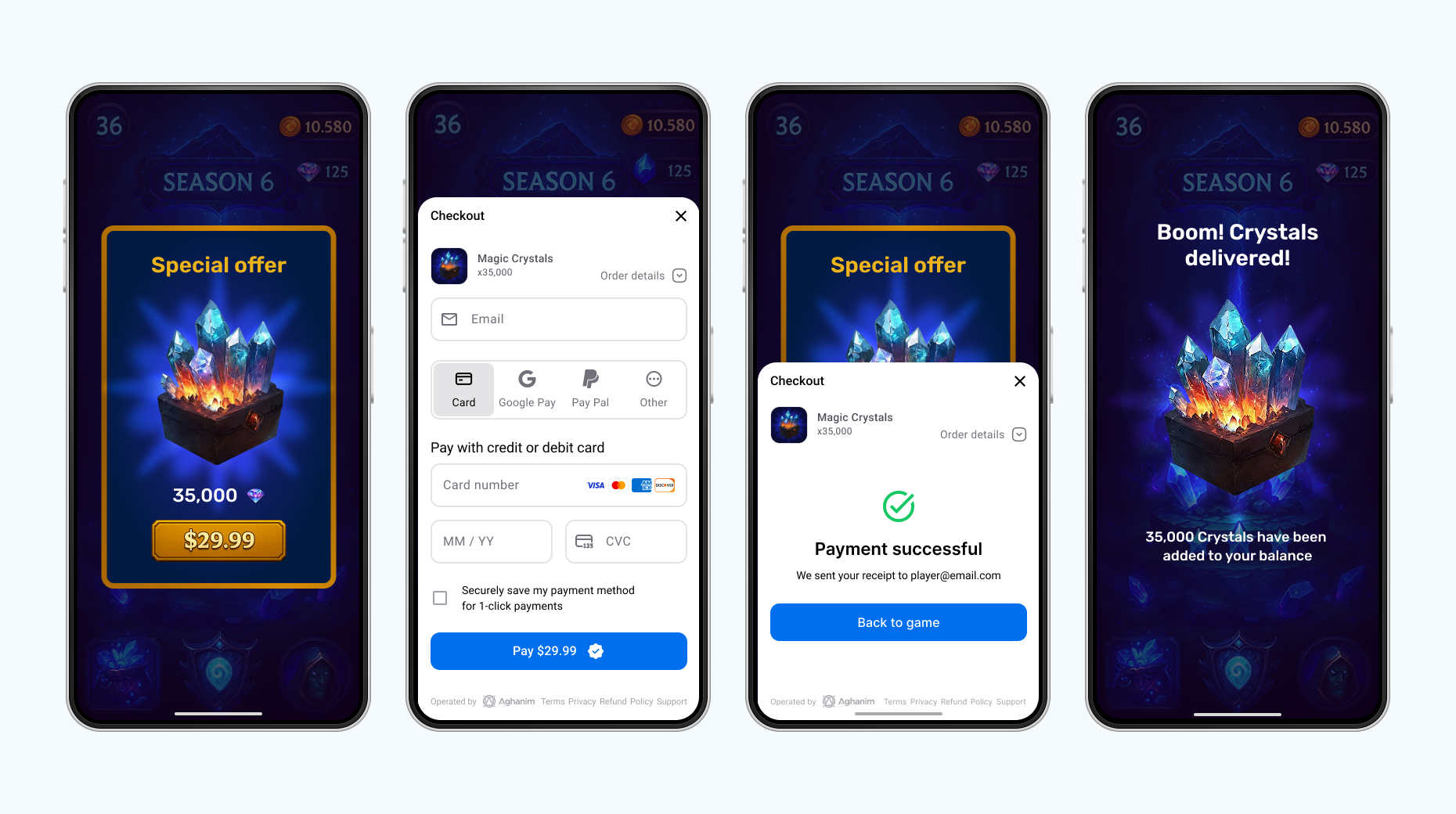
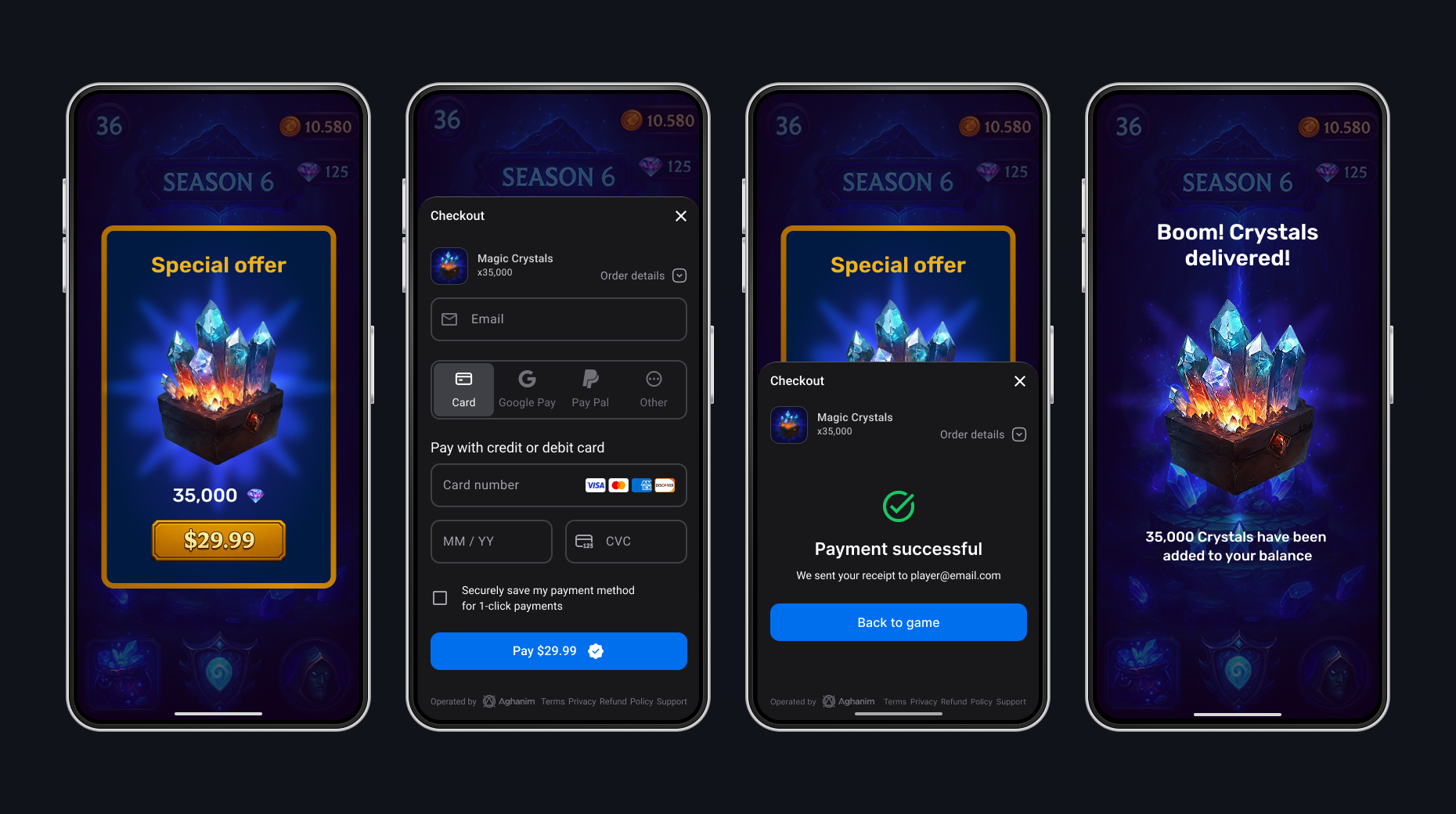
Native UI
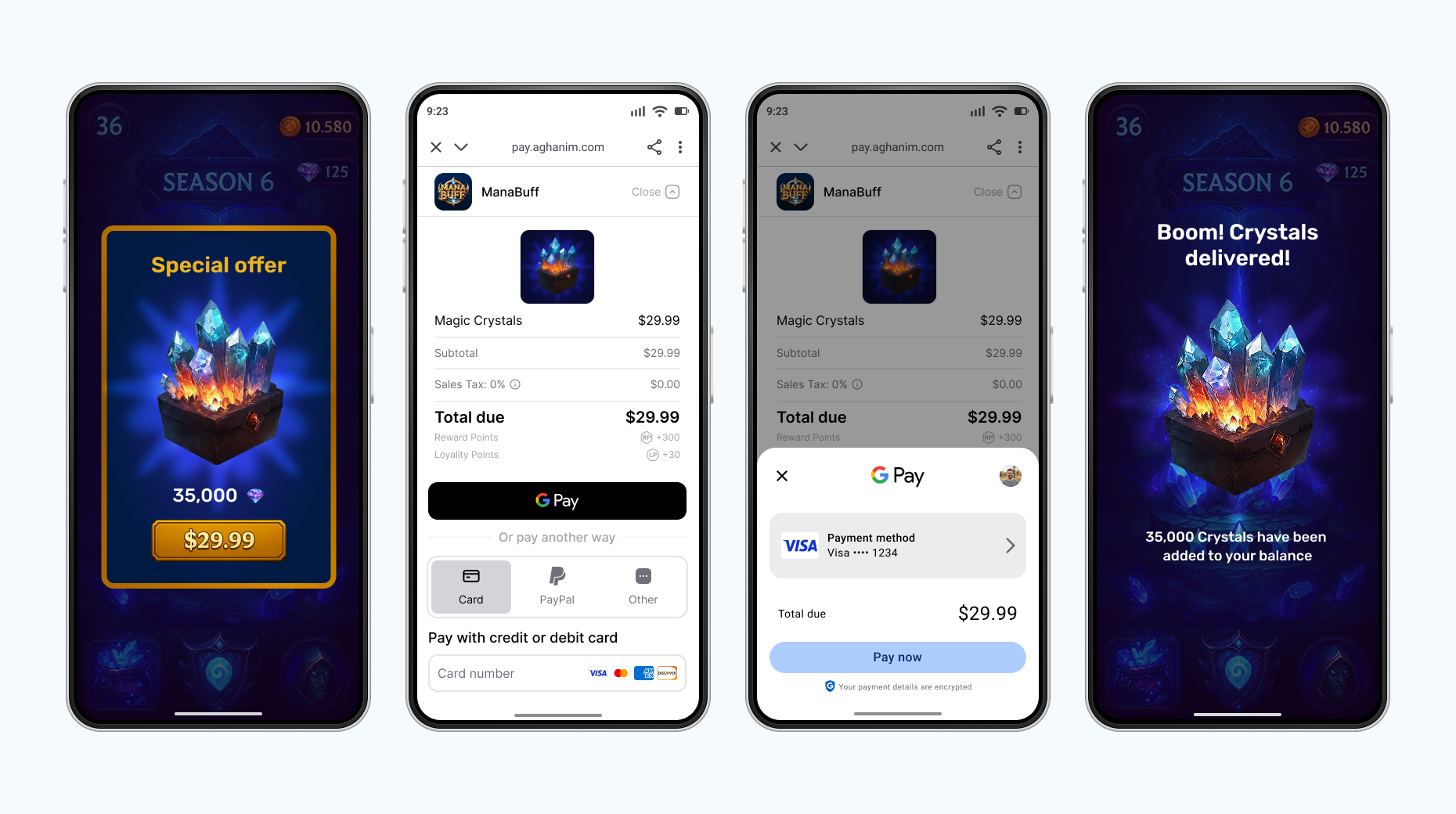
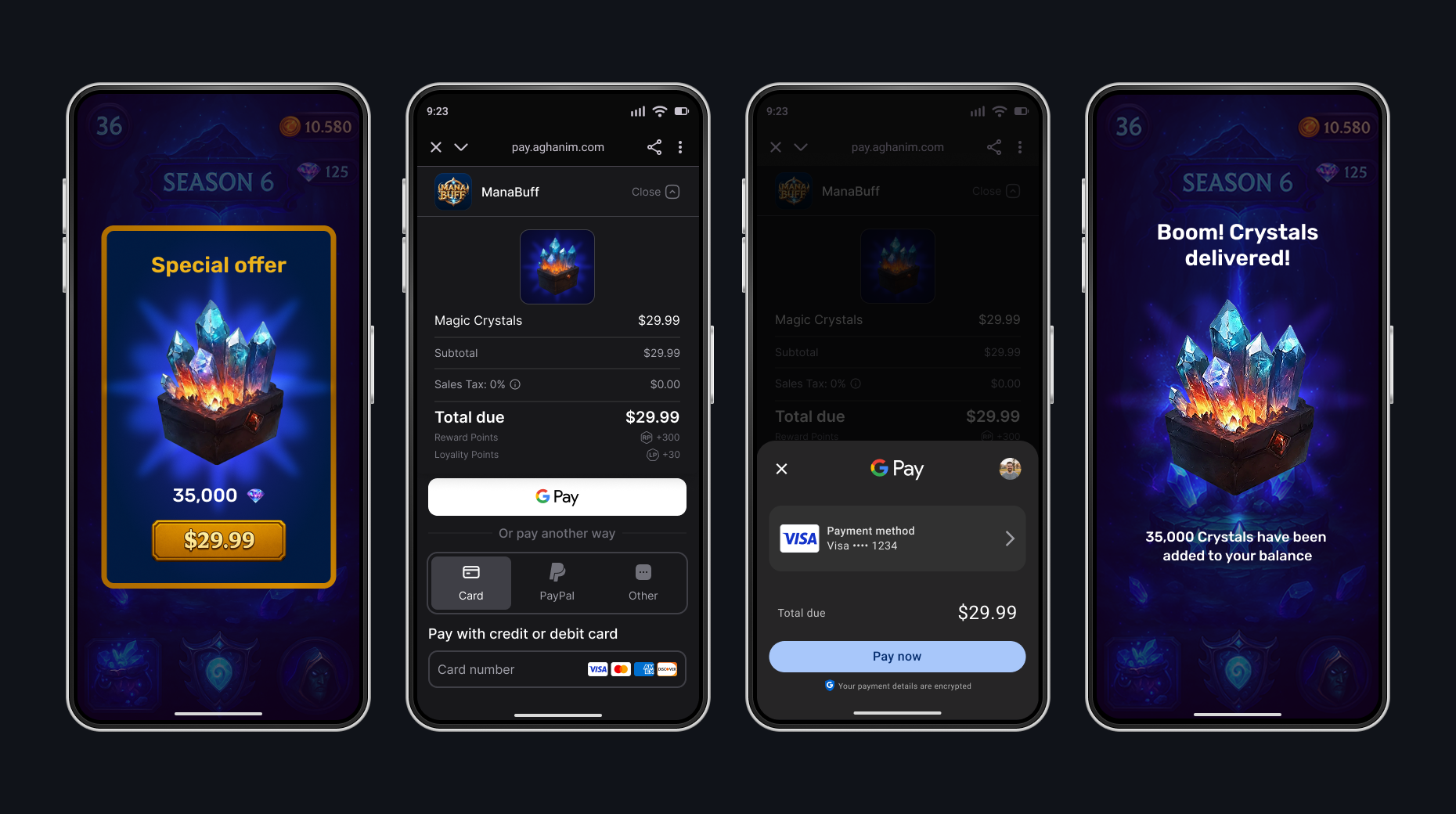
통합
SDK 통합을 위해서는 사전 조건과 Integrate → Android에서 상세 지침을 참조하세요.
방법 참조
소비되지 않은 주문 가져오기
결제가 완료되었지만 아직 제공되지 않은 주문을 확인하려면 getUnconsumed 또는 getUnconsumedAsync 메서드를 사용하세요.
- Coroutines
- Async callbacks
- Kotlin
import com.aghanim.android.sdk.common.api.result.ApiResult
import android.util.Log

when (val unconsumedResult = aghanim.orders.getUnconsumed()) {
    is ApiResult.Success -> {
        // Player has paid but not granted items from orders
        val unconsumedOrderIds = unconsumedResult.value
        // TODO: Save order IDs for further consuming and granting
    }

    is ApiResult.Failure -> {
        // Log debug information for troubleshooting
        Log.e("Orders", "Failed to get unconsumed orders: ${unconsumedResult.error}")
        // TODO: Handle error
    }
}
- Kotlin
import com.aghanim.android.sdk.common.api.callbacks.OrderListCallback
import com.aghanim.android.sdk.common.api.result.ApiError
import android.util.Log

aghanim.orders.getUnconsumedAsync(
    callback = object : OrderListCallback {
        override fun onSuccess(orderIds: List<String>) {
            // Player has paid but not granted items from orders
            val unconsumedOrderIds = orderIds
            // TODO: Save order IDs for further consuming and granting
        }

        override fun onError(failure: ApiError) {
            // Log debug information for troubleshooting
            Log.e("Orders", "Failed to get unconsumed orders: ${failure.debugMessage}")
            // TODO: Handle error
        }
    }
)
| 파라미터 | 유형 | 필수 여부 | 설명 |
|---|---|---|---|
onSuccess | Action<string[]> | 오류가 없을 경우 예 | 성공적 결과 시 호출되는 콜백입니다. |
onError | Action<string> | 성공이 없을 경우 예 | 실패한 결과 시 호출되는 콜백입니다. |
지불한 주문 소모
플레이어가 주문을 통해 구매한 아이템을 제공했음을 SDK가 인식하도록 하려면 consume 또는 consumeAsync 메서드를 사용하세요.
- Coroutines
- Async callbacks
- Kotlin
import com.aghanim.android.sdk.common.api.result.ApiResult
import android.util.Log

when (val consumeResult = aghanim.orders.consume(orderId)) {
    is ApiResult.Success -> {
        // Paid orders are marked as consumed
        Log.d("Orders", "Order $orderId is successfully consumed")
        // TODO: Grant items in order to player
    }

    is ApiResult.Failure -> {
        // Log debug information for troubleshooting
        Log.e("Orders", "Failed to consume order: ${consumeResult.error}")
        // TODO: Handle error
    }
}
- Kotlin
import com.aghanim.android.sdk.common.api.callbacks.ConsumeCallback
import com.aghanim.android.sdk.common.api.result.ApiError
import android.util.Log

aghanim.orders.consumeAsync(
    orderId = orderId,
    callback = object : ConsumeCallback {
        override fun onSuccess() {
            // Paid orders are marked as consumed
            Log.d("Orders", "Order $orderId is successfully consumed")
            // TODO: Grant items in order to player
        }

        override fun onError(failure: ApiError) {
            // Log debug information for troubleshooting
            Log.e("Orders", "Failed to consume order: ${failure.debugMessage}")
            // TODO: Handle error
        }
    }
)
| 파라미터 | 유형 | 필수 여부 | 설명 |
|---|---|---|---|
orderId | 문자열 | 예 | 주문의 고유 ID. |
onSuccess | Action | 오류가 없을 경우 예 | 성공적 결과 시 호출되는 콜백입니다. |
onError | Action<string> | 성공이 없을 경우 예 | 실패한 결과 시 호출되는 콜백입니다. |
플레이어 ID 설정
현재 SDK 인스턴스에 대해 플레이어 ID를 한 번 설정하려면 setPlayerId 메서드를 사용하세요. SDK는 이후 모든 메서드 호출에서 ID를 사용합니다.
- Kotlin
import com.aghanim.android.sdk.common.api.result.ApiResult
import android.util.Log

when (val result = aghanim.setPlayerId(playerId)) {
    is ApiResult.Success -> {
        // The SDK attaches the player ID to all following method calls
    }

    is ApiResult.Failure -> {
        // Log debug information for troubleshooting
        Log.e("Aghanim", "Failed to set player ID: ${result.error}")
        // TODO: Handle error
    }
}
| 파라미터 | 유형 | 필수 여부 | 설명 |
|---|---|---|---|
playerId | 문자열 | 예 | 플레이어의 고유 ID. |
아이템 가져오기
현지화된 가격으로 아이템을 가져오려면 items.get 또는 items.getAsync 메서드를 사용하세요. 이 메서드는 SKU Management → Items에서 생성된 아이템을 반환하며, 플레이어의 지역에 따라 가격이 현지화됩니다.
- Coroutines
- Async callbacks
- Kotlin
import com.aghanim.android.sdk.common.api.result.ApiResult
import android.util.Log

when (val result = aghanim.items.get(
    skus = listOf("your-item-sku"),
)) {
    is ApiResult.Success -> {
        val items = result.value
        items.forEach { item ->
            // Use item.name, item.price.display, item.imageUrl to populate your store
            Log.d("Items", "${item.name}: ${item.price.display}")
        }
    }

    is ApiResult.Failure -> {
        // Log debug information for troubleshooting
        Log.e("Items", "Failed to get items: ${result.error}")
        // TODO: Handle error
    }
}
- Kotlin
import com.aghanim.android.sdk.common.api.callbacks.ItemsCallback
import com.aghanim.android.sdk.common.api.models.item.Item
import com.aghanim.android.sdk.common.api.result.ApiError
import android.util.Log

aghanim.items.getAsync(
    skus = listOf("your-item-sku"),
    locale = null,
    callback = object : ItemsCallback {
        override fun onSuccess(items: List<Item>) {
            items.forEach { item ->
                // Use item.name, item.price.display, item.imageUrl to populate your store
                Log.d("Items", "${item.name}: ${item.price.display}")
            }
        }

        override fun onError(failure: ApiError) {
            // Log debug information for troubleshooting
            Log.e("Items", "Failed to get items: ${failure.debugMessage}")
            // TODO: Handle error
        }
    }
)
| 파라미터 | 형식 | 필수 여부 | 설명 |
|---|---|---|---|
skus | List<String> | 예 | 가져올 아이템 SKU 목록(최대 50개). |
locale | Locale | 아니요 | 가격 형식 지정용 Locale. 지원되는 로케일의 전체 목록은 체크아웃 → 로케일에서 확인하세요. |
onSuccess | Action<List<Item>> | 오류가 없으면 예 | 성공한 결과에서 호출되는 콜백입니다. |
onError | Action<ApiError> | 성공이 아니면 예 | 실패한 결과에서 호출되는 콜백입니다. |
| 파라미터 | 형식 | 필수 여부 | 설명 |
|---|---|---|---|
skus | List<String> | 예 | 가져올 아이템 SKU 목록(최대 50개). |
locale | Locale | 아니요 | 가격 형식 지정용 Locale. 지원되는 Locale의 전체 목록은 Checkout → Locales에서 확인하세요. |
Checkout 아이템 생성
아이템 표현을 생성하려면 CheckoutItem 메소드를 사용하십시오. 아이템은 SKU 관리 → 항목에서 이미 생성되어 있어야 합니다.
- Kotlin
import com.aghanim.android.sdk.checkout.core.api.models.CheckoutItem

val checkoutItem = CheckoutItem(
    sku = "CRS-82500"
)
| 파라미터 | 형식 | 필수 여부 | 설명 |
|---|---|---|---|
sku | 문자열 | 예 | 대시보드에서의 아이템 SKU. |
name | 문자열 | 아니요 | 대시보드에서의 아이템 이름. |
description | 문자열 | 아니요 | 대시보드에서의 아이템 설명. |
imageUrl | 문자열 | 아니요 | 대시보드에서의 아이템 이미지 URL. |
quantity | int | 아니요 | 아이템 수량. |
리디렉션 동작 생성
플레이어가 결제를 성공적으로 완료한 후 리디렉션 동작을 선택하려면 RedirectSettings 메소드를 사용하십시오.
- Immediate
- Delayed
- No redirect
플레이어가 결제를 완료하면, SDK는 즉시 backToGameUrl의 딥 링크로 리디렉션합니다.
- Kotlin
import com.aghanim.android.sdk.checkout.core.api.models.RedirectSettings
import com.aghanim.android.sdk.checkout.core.api.models.RedirectMode

val redirectSettings = RedirectSettings(
    mode = RedirectMode.IMMEDIATE
)
플레이어가 결제를 완료하면, SDK는 성공적인 결제 화면을 표시한 후 backToGameUrl의 딥 링크로 플레이어를 리디렉션합니다.
- Kotlin
import com.aghanim.android.sdk.checkout.core.api.models.RedirectSettings
import com.aghanim.android.sdk.checkout.core.api.models.RedirectMode

val redirectSettings = RedirectSettings(
    mode = RedirectMode.DELAYED,
    delaySeconds = 5
)
플레이어가 결제를 완료하면, 성공적인 결제 화면에 남습니다. 나가려면, 수동으로 닫거나 다른 곳으로 이동해야 합니다. 그 후, 스스로 backToGameUrl의 딥 링크로 플레이어를 리디렉션해야 합니다.
- Kotlin
import com.aghanim.android.sdk.checkout.core.api.models.RedirectSettings
import com.aghanim.android.sdk.checkout.core.api.models.RedirectMode

val redirectSettings = RedirectSettings(
    mode = RedirectMode.NO_REDIRECT
)
| 파라미터 | 유형 | 필수 여부 | 설명 |
|---|---|---|---|
mode | RedirectMode | 예 | 리디렉션 모드. 가능한 값: Immediate, Delayed, NoRedirect. |
delaySeconds | int | Delayed이면 예 | 초 단위의 지연. Delayed 모드에서는 기본값이 5입니다. |
UI 설정 생성
Checkout의 외관 모드를 설정하려면 UiSettings 메서드를 사용하세요.
- Auto
- Dark
- Light
SDK는 시스템 설정에 따라 적절한 외관 모드를 자동으로 감지하고 적용합니다.
- Kotlin
import com.aghanim.android.sdk.checkout.core.api.models.UiSettings
import com.aghanim.android.sdk.checkout.core.api.models.UiMode

val uiSettings = UiSettings(
    mode = UiMode.AUTO
)
SDK가 Checkout UI에 다크 모드 외관을 강제로 적용합니다.
- Kotlin
import com.aghanim.android.sdk.checkout.core.api.models.UiSettings
import com.aghanim.android.sdk.checkout.core.api.models.UiMode

val uiSettings = UiSettings(
    mode = UiMode.DARK
)
SDK가 Checkout UI에 라이트 모드 외관을 강제로 적용합니다.
- Kotlin
import com.aghanim.android.sdk.checkout.core.api.models.UiSettings
import com.aghanim.android.sdk.checkout.core.api.models.UiMode

val uiSettings = UiSettings(
    mode = UiMode.LIGHT
)
| 파라미터 | 유형 | 필수 여부 | 설명 |
|---|---|---|---|
mode | UiMode | 예 | UI 모드. 가능한 값: Auto, Dark, Light. |
체크아웃 파라미터 생성
플레이어가 결제 양식에서 보는 것을 나타내는 체크아웃 파라미터를 생성하려면 CheckoutParams 메소드를 사용하십시오.
- Native UI
- Others
네이티브 UI 실행 모드에서는 체크아웃 파라미터 생성이 더 간단합니다. 체크아웃이 브라우저를 사용해 실행되지 않기 때문에 backToGameUrl을 전달할 필요가 없습니다.
- Kotlin
import com.aghanim.android.sdk.checkout.core.api.models.CheckoutParams

val checkoutParams = CheckoutParams(
    items = listOf(checkoutItem),
    locale = null
)
인앱 브라우저 및 기본 브라우저 실행 모드를 위한 체크아웃 파라미터 생성은 약간 다릅니다. 체크아웃이 브라우저에서 실행되므로 backToGameUrl을 전달해야 합니다.
- Kotlin
import com.aghanim.android.sdk.checkout.core.api.models.CheckoutParams

val checkoutParams = CheckoutParams(
    items = listOf(checkoutItem),
    backToGameUrl = "https://<YOUR_DOMAIN>/checkout-complete",
    locale = null
)
| 파라미터 | 유형 | 필수 여부 | 설명 |
|---|---|---|---|
items | List<CheckoutItem> | 예 | 항목의 목록입니다. |
metadata | Map<string, string> | 아니요 | 추적 목적으로 "키-값" 쌍으로 구조화된 메타데이터. |
priceTemplateId | 문자열 | 아니요 | 현지화된 가격을 위해 가격 포인트 가져오기에서 가격 템플릿 ID를 가져옵니다. |
locale | 문자열 | 아니요 | 아이템 이름 및 설명 현지화를 위한 로케일. 지원되는 Locale의 전체 목록은 Checkout → Locales에서 확인하세요. |
customMessage | 문자열 | 아니요 | 체크아웃 페이지의 메시지. |
backToGameUrl | 문자열 | 아니요 | 플레이어를 앱으로 복귀시키는 딥링크 URL. 제공되지 않을 경우 자동 생성됩니다. |
redirectSettings | RedirectSettings | 아니요 | 결제 후 리다이렉트 행동. |
uiSettings | UiSettings | 아니요 | Checkout 외관 설정. |
체크아웃 시작
Checkout 프로세스를 시작하려면 startCheckout 또는 startWebCheckout 메서드를 사용하세요. 이 메서드는 제공된 checkout params로 주문을 생성하고 Checkout UI를 엽니다. 성공 값이 주문 ID인 ApiResult<String>를 반환합니다.
- Native UI
- In-app browser
- Default browser
시작 모드는 플레이어의 경험을 완전히 제어하는 네이티브 UI를 사용합니다.
- Kotlin
import com.aghanim.android.sdk.checkout.ui.api.startCheckout
import com.aghanim.android.sdk.common.api.result.ApiResult
import android.util.Log

when (val result = aghanim.startCheckout(
    context = context,
    checkoutParams = checkoutParams,
)) {
    is ApiResult.Success -> {
        // Order is created and checkout has launched successfully
        val orderId = result.value
        // TODO: Save order ID for further granting or tracking
    }

    is ApiResult.Failure -> {
        // Log debug information for troubleshooting
        Log.e("Checkout", "Failed to launch Checkout: ${result.error}")
        // TODO: Show user-friendly error message to player
    }
}
| 파라미터 | 형식 | 필수 여부 | 설명 |
|---|---|---|---|
context | Activity | 예 | 현재 Activity. |
checkoutParams | CheckoutParams | 예 | Checkout 구성. |
런치 모드는 Custom Tabs 통해 부드러운 플레이어 경험을 만듭니다.
- Kotlin
import com.aghanim.android.sdk.checkout.web.api.startWebCheckout
import com.aghanim.android.sdk.checkout.web.api.models.LaunchMode
import com.aghanim.android.sdk.common.api.result.ApiResult
import android.util.Log

when (val result = aghanim.startWebCheckout(
    context = context,
    checkoutParams = checkoutParams,
    launchMode = LaunchMode.InAppBrowser,
)) {
    is ApiResult.Success -> {
        // Order is created and checkout has launched successfully
        val orderId = result.value
        // TODO: Save order ID for further granting or tracking
    }

    is ApiResult.Failure -> {
        // Log debug information for troubleshooting
        Log.e("Checkout", "Failed to launch Checkout: ${result.error}")
        // TODO: Show user-friendly error message to player
    }
}
| 파라미터 | 유형 | 필수 여부 | 설명 |
|---|---|---|---|
context | Activity | 예 | 현재 Activity. |
checkoutParams | CheckoutParams | 예 | Checkout 구성. |
launchMode | LaunchMode | 예 | Checkout을 위한 런치 모드. |
런치 모드는 플레이어의 기본 브라우저에서 작동합니다. 앱 외부로 플레이어를 리다이렉트하려는 경우 이 모드를 사용하십시오.
- Kotlin
import com.aghanim.android.sdk.checkout.web.api.startWebCheckout
import com.aghanim.android.sdk.checkout.web.api.models.LaunchMode
import com.aghanim.android.sdk.common.api.result.ApiResult
import android.util.Log

when (val result = aghanim.startWebCheckout(
    context = context,
    checkoutParams = checkoutParams,
    launchMode = LaunchMode.DefaultBrowser,
)) {
    is ApiResult.Success -> {
        // Order is created and checkout has launched successfully
        val orderId = result.value
        // TODO: Save order ID for further granting or tracking
    }

    is ApiResult.Failure -> {
        // Log debug information for troubleshooting
        Log.e("Checkout", "Failed to launch Checkout: ${result.error}")
        // TODO: Show user-friendly error message to player
    }
}
| 파라미터 | 유형 | 필수 여부 | 설명 |
|---|---|---|---|
context | Activity | 예 | 현재 Activity. |
checkoutParams | CheckoutParams | 예 | Checkout 구성. |
launchMode | LaunchMode | 예 | Checkout을 위한 런치 모드. |
Checkout 표시
기존 주문에 대해 Checkout UI를 표시하려면 presentCheckout 또는 presentWebCheckout 메서드를 사용하세요. 서버 간 주문 생성으로부터 주문 ID가 있거나, 이전에 중단된 checkout을 재개할 때 이를 사용하세요.
- Native UI
- In-app browser
- Default browser
이 실행 모드는 플레이어 경험을 완전히 제어할 수 있는 Native UI를 사용합니다.
- Kotlin
import com.aghanim.android.sdk.checkout.ui.api.presentCheckout
import com.aghanim.android.sdk.common.api.result.ApiResult
import android.util.Log

when (val result = aghanim.presentCheckout(
    context = context,
    orderId = orderId,
)) {
    is ApiResult.Success -> {
        // Checkout has launched successfully for the existing order
        val presentedOrderId = result.value
    }

    is ApiResult.Failure -> {
        // Log debug information for troubleshooting
        Log.e("Checkout", "Failed to present Checkout: ${result.error}")
        // TODO: Show user-friendly error message to player
    }
}
| 파라미터 | 유형 | 필수 여부 | 설명 |
|---|---|---|---|
context | Activity | 예 | 현재 Activity. |
orderId | String | 예 | 열 기존 주문의 ID. |
이 실행 모드는 Custom Tabs를 통해 매끄러운 플레이어 경험을 제공합니다.
- Kotlin
import com.aghanim.android.sdk.checkout.web.api.presentWebCheckout
import com.aghanim.android.sdk.checkout.web.api.models.LaunchMode
import com.aghanim.android.sdk.common.api.result.ApiResult
import android.util.Log

when (val result = aghanim.presentWebCheckout(
    context = context,
    orderId = orderId,
    launchMode = LaunchMode.InAppBrowser,
)) {
    is ApiResult.Success -> {
        // Checkout has launched successfully for the existing order
        val presentedOrderId = result.value
    }

    is ApiResult.Failure -> {
        // Log debug information for troubleshooting
        Log.e("Checkout", "Failed to present Checkout: ${result.error}")
        // TODO: Show user-friendly error message to player
    }
}
| 파라미터 | 유형 | 필수 여부 | 설명 |
|---|---|---|---|
context | Activity | 예 | 현재 Activity. |
orderId | String | 예 | 열 기존 주문의 ID. |
launchMode | LaunchMode | 예 | Checkout의 실행 모드. |
이 실행 모드는 플레이어의 기본 브라우저에서 작동합니다. 앱 밖으로 플레이어를 리디렉션하려는 경우 이 모드를 사용하세요.
- Kotlin
import com.aghanim.android.sdk.checkout.web.api.presentWebCheckout
import com.aghanim.android.sdk.checkout.web.api.models.LaunchMode
import com.aghanim.android.sdk.common.api.result.ApiResult
import android.util.Log

when (val result = aghanim.presentWebCheckout(
    context = context,
    orderId = orderId,
    launchMode = LaunchMode.DefaultBrowser,
)) {
    is ApiResult.Success -> {
        // Checkout has launched successfully for the existing order
        val presentedOrderId = result.value
    }

    is ApiResult.Failure -> {
        // Log debug information for troubleshooting
        Log.e("Checkout", "Failed to present Checkout: ${result.error}")
        // TODO: Show user-friendly error message to player
    }
}
| 파라미터 | 유형 | 필수 여부 | 설명 |
|---|---|---|---|
context | Activity | 예 | 현재 Activity. |
orderId | String | 예 | 열 기존 주문의 ID. |
launchMode | LaunchMode | 예 | Checkout의 실행 모드. |
도움이 필요하세요?
통합팀에 문의하십시오 [email protected]