Swift SDK reference
The Swift SDK is experimental. Its public API may change or be removed in any minor release until the SDK is promoted to stable.
The Aghanim Swift SDK that allows you to use the Checkout within your iOS app.
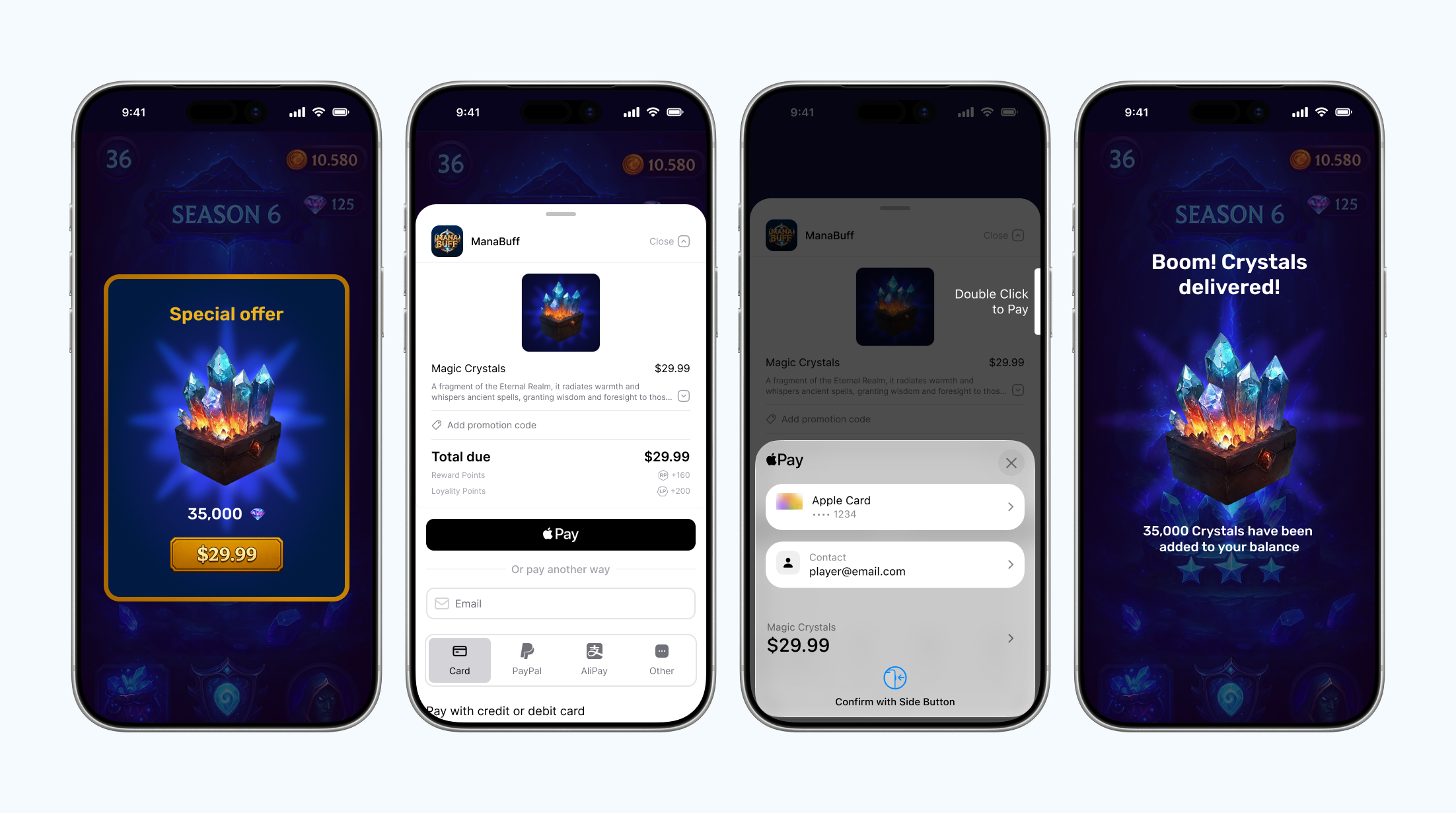
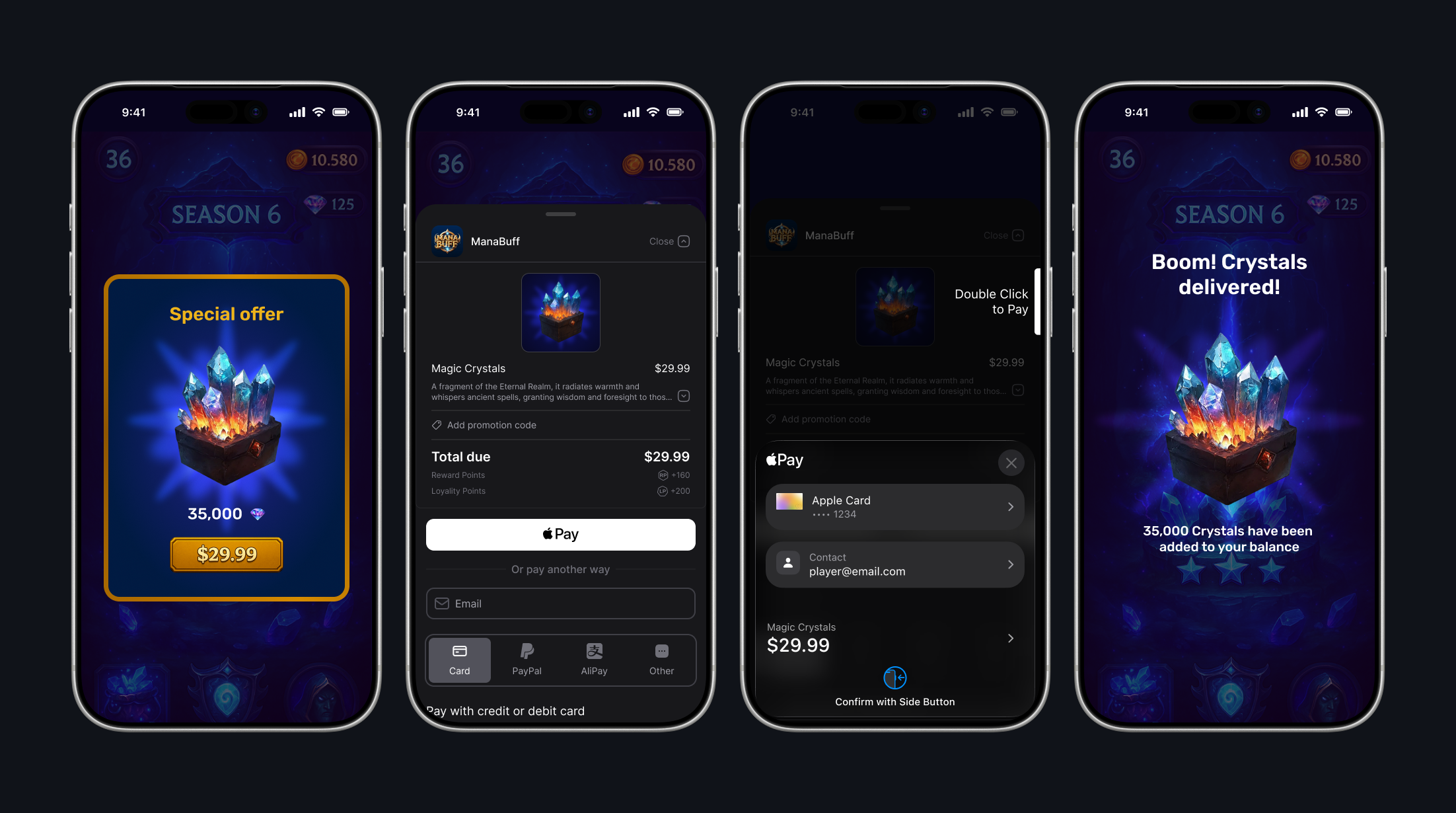
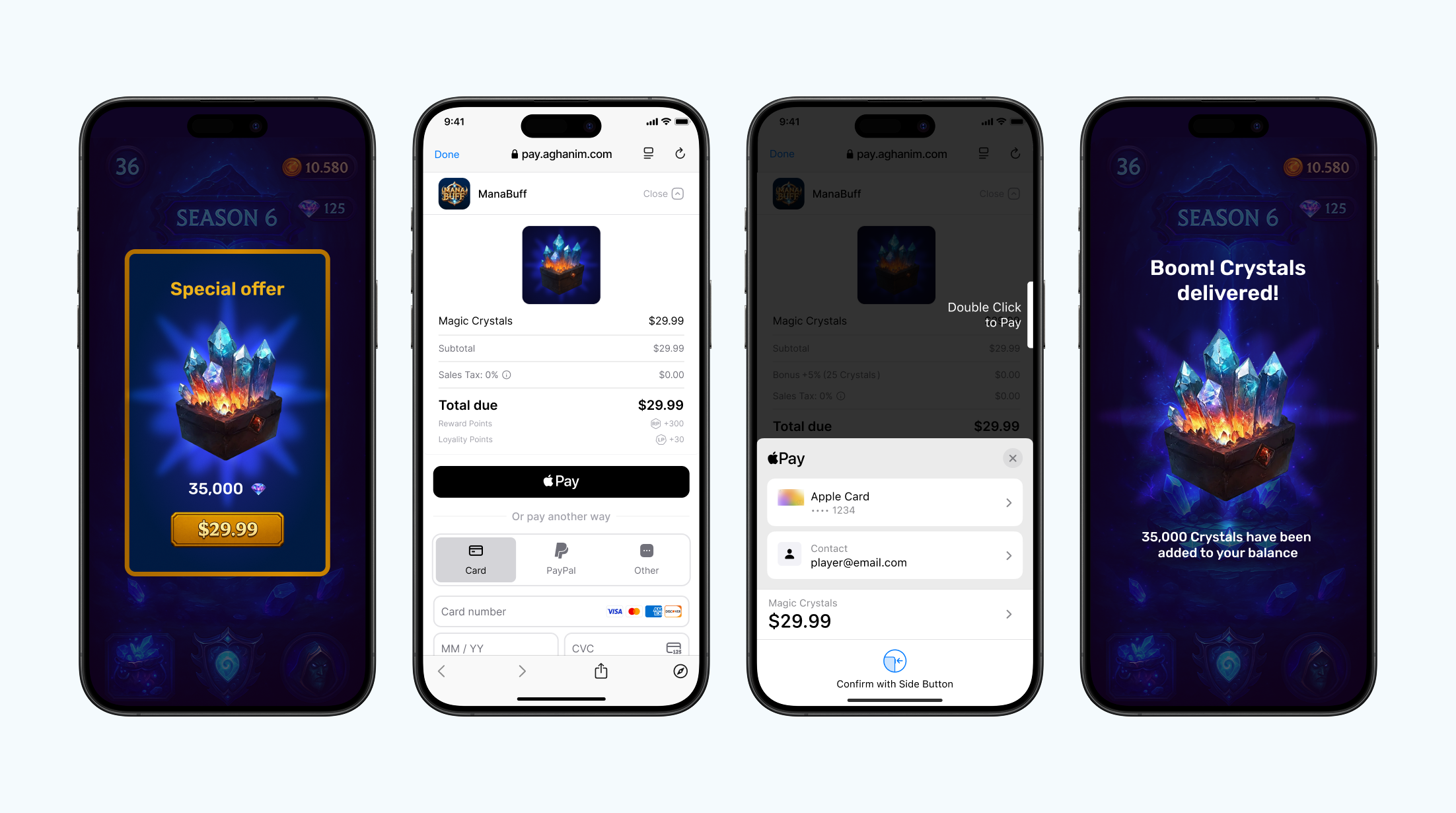
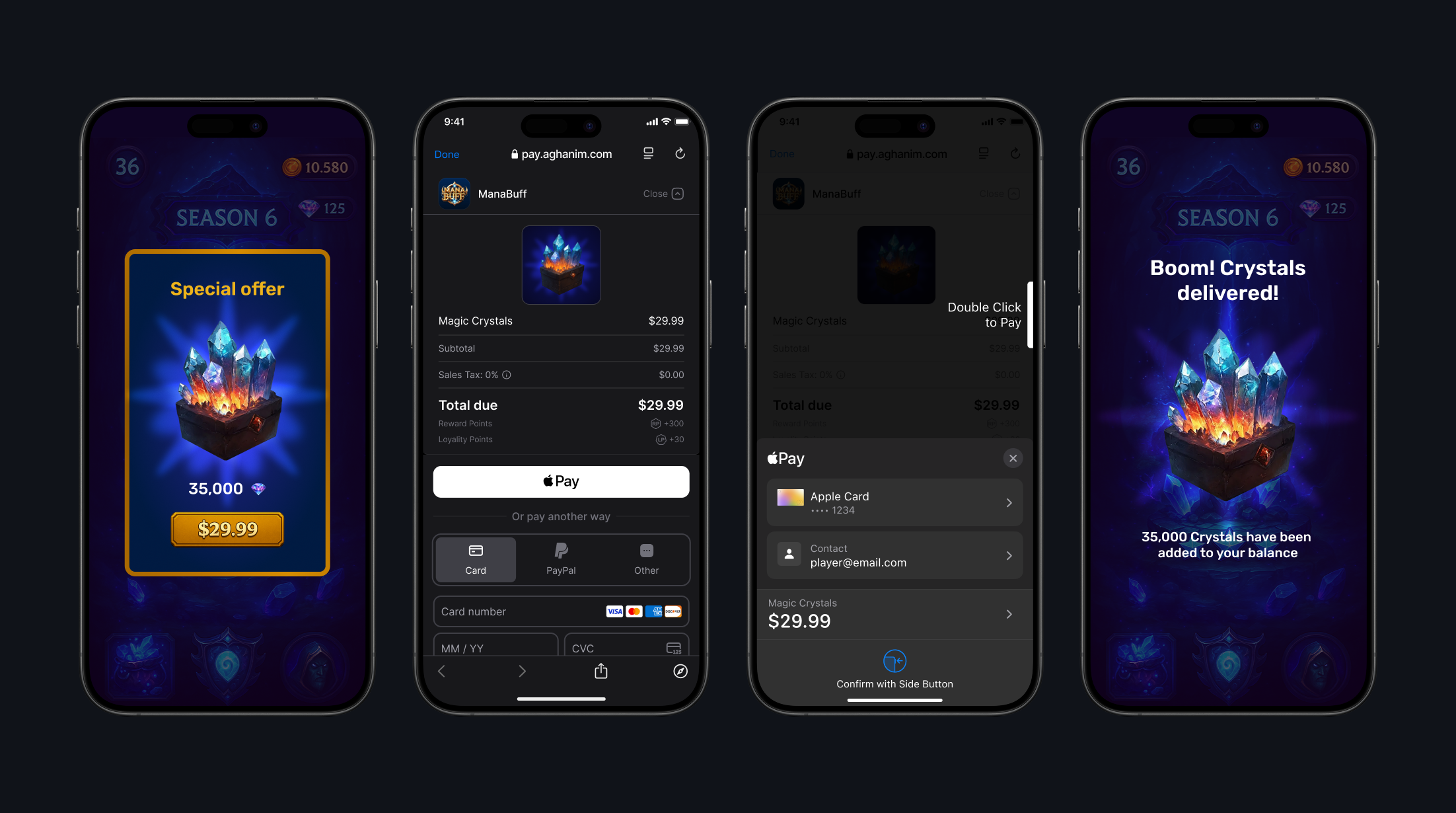
In-app browser
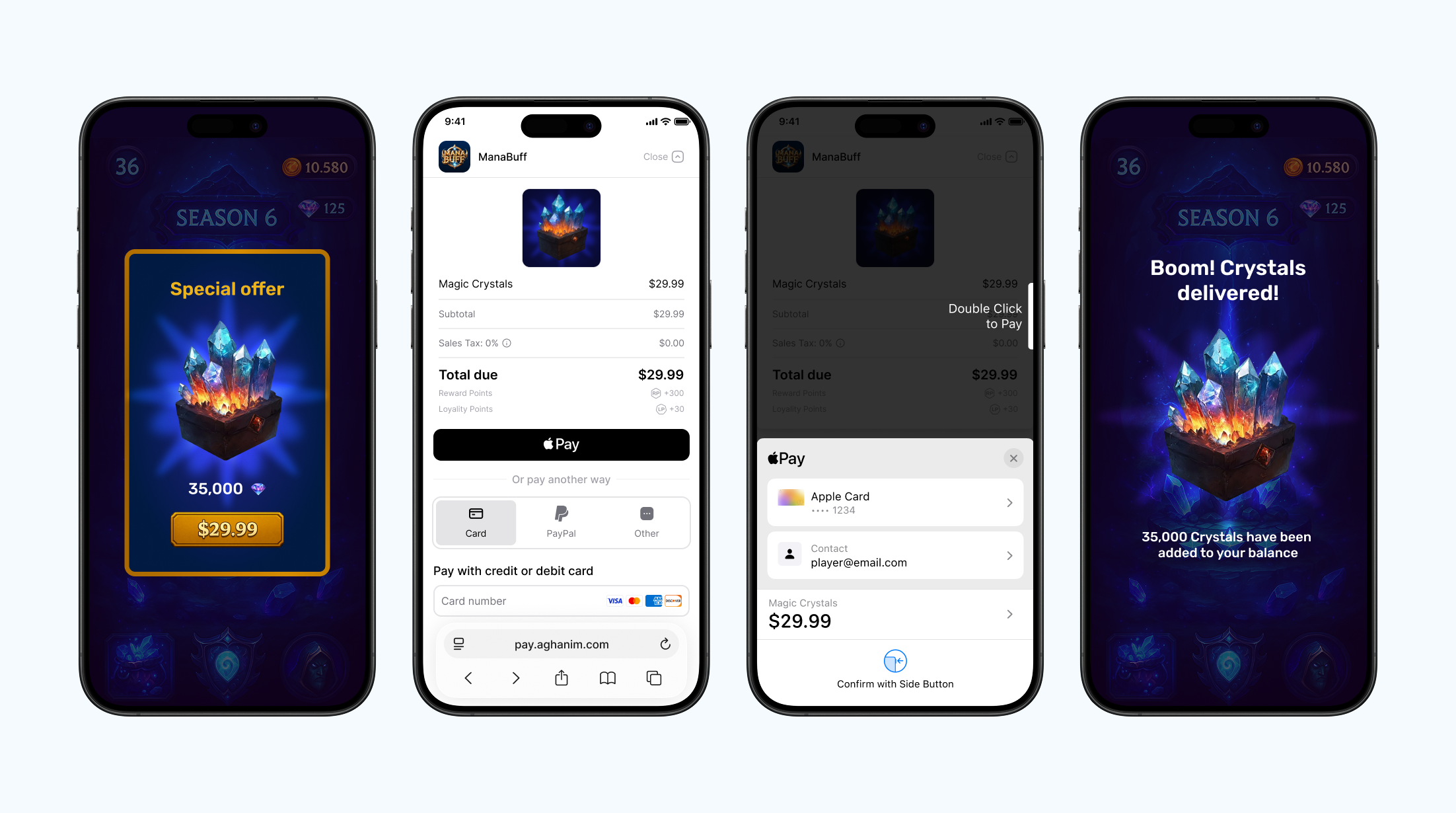
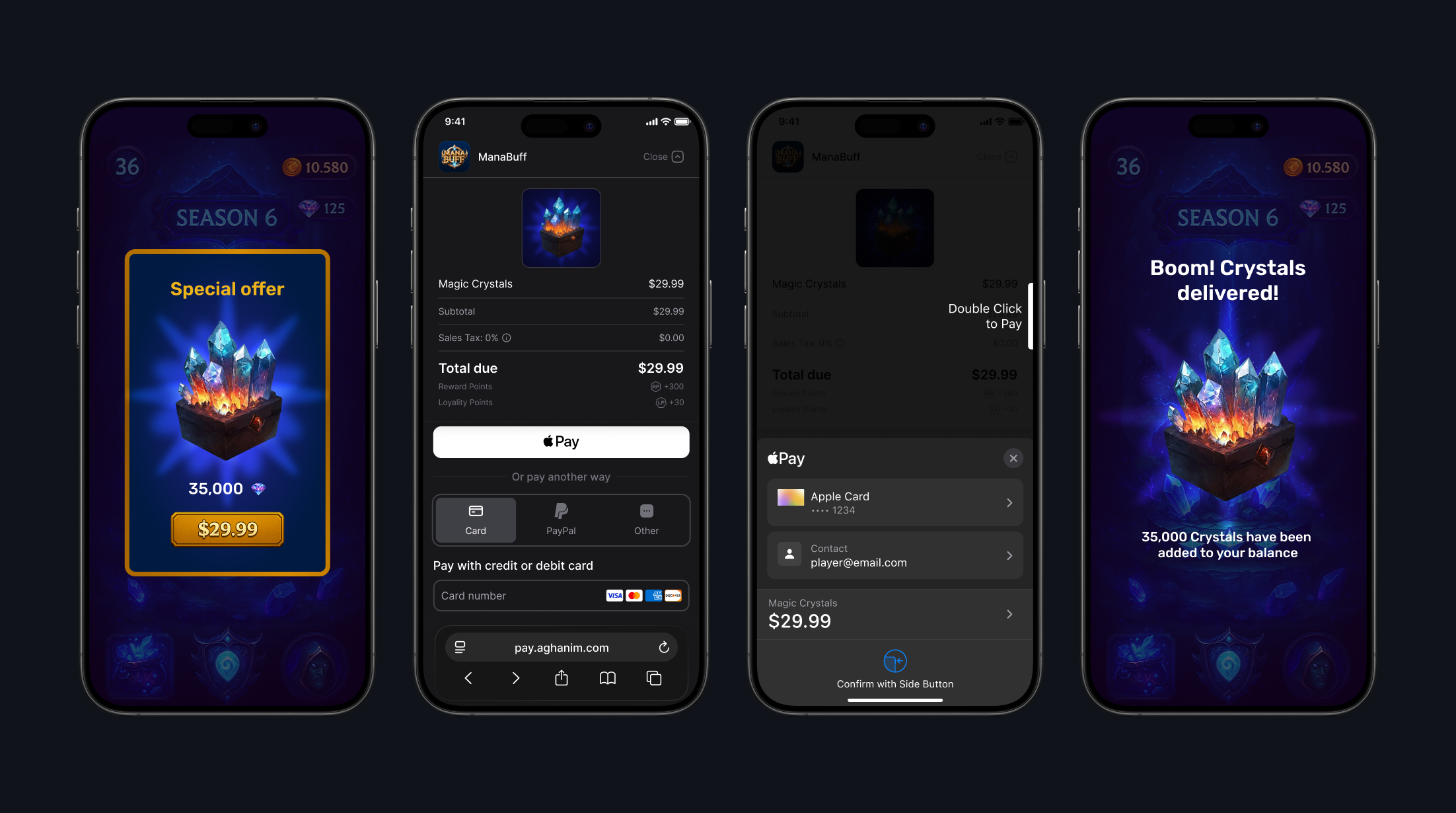
Everything hangs off the Aghanim actor. In the Swift examples below, aghanim is that instance, and one import covers every symbol they use:
import AghanimCheckout
Aghanim is an actor, so await every call on it. Your AghanimPresenter and Checkout delegate conformances are called on the main actor, so declare them @MainActor.
Integration
To integrate the SDK, see its prerequisites and the detailed instruction on Integrate → iOS.
Method reference
Initialize SDK
To create the SDK instance, build an AghanimConfig and pass it to Aghanim(config:). Hold the instance for the lifetime of the process: the SDK is designed to be created once at app launch.
- Swift
guard let apiKey = ApiKey("YOUR_API_KEY") else {
    fatalError("API key cannot be blank.")
}

let config = AghanimConfig.builder(apiKey: apiKey)
    .with(logLevel: .debug)
    .build()

let aghanim = Aghanim(config: config)
ApiKey(_:) is failable and returns nil for a blank or whitespace-only key, so unwrap it before building the config.
| Parameter | Type | Required | Description |
|---|---|---|---|
apiKey | ApiKey | Yes | The SDK key for your game, from the Dashboard. |
logger | any Logger | No | Where the SDK writes its logs. Defaults to OSLogLogger(). |
logLevel | LogLevel | No | The lowest level the SDK writes. Defaults to .warning. |
LogLevel has these cases:
| Level | Meaning |
|---|---|
.debug | Detailed debug information on almost every event. |
.info | General information on the SDK instance state and its events. |
.warning | Warnings and recoverable errors. Used by default. |
.error | Critical and fatal errors. |
.none | No logging. |
Dispose the SDK instance
To release an instance you are done with, use the dispose() method. Calling it more than once is harmless, and afterwards API calls on that instance fail with ApiError.disposed. A normal app never needs it: create one instance at launch and keep it.
- Swift
await aghanim.dispose()
Get Order
To fetch a single Order by its ID, use the orders.get(id:) method. Returns an Order. See Order reference for its fields.
- Swift
let order = try await aghanim.orders.get(id: orderId)

print("Order \(order.id) is \(order.status)")
for orderItem in order.items {
    print("\(orderItem.quantity) x \(orderItem.name)")
}
| Parameter | Type | Required | Description |
|---|---|---|---|
id | String | Yes | Unique ID for the Order. |
Get unconsumed Orders
To know what Orders have been paid for but not granted yet, use the orders.getUnconsumed() method. Requires the player ID to be set via Set player ID.
- Swift
let orderIds = try await aghanim.orders.getUnconsumed()
Returns [String], the list of unconsumed Order IDs.
Consume paid Order
To mark a paid Order as handled, use the orders.consume(orderId:) method. Consuming the same Order twice fails, so grant its items once the consume succeeds. Requires the player ID to be set via Set player ID.
- Swift
try await aghanim.orders.consume(orderId: orderId)
| Parameter | Type | Required | Description |
|---|---|---|---|
orderId | String | Yes | Unique ID for the Order. |
Get items
To retrieve items with localized prices, use the items.get(skus:locale:) method. It returns items created in SKU Management → Items with prices localized to the player's region.
- Swift
let items = try await aghanim.items.get(skus: [
    "items.new.ba68a028-2d51-46b4-a854-68fc16af328a",
    "items.new.1f2c4d16-9b83-4b52-9e0d-72f3a1c5d904",
])

for storeItem in items {
    // Use name, price.display and imageUrl to populate your store.
    print("\(storeItem.name): \(storeItem.price.display)")
}
| Parameter | Type | Required | Description |
|---|---|---|---|
skus | [String] | Yes | Item SKUs to retrieve. Must not be empty. |
locale | AghanimLocale | No | Locale for localization. Find the full list of supported locales in Checkout → Locales. |
skus can be of any length: there is no SKU-count cap for you to work around. Duplicate SKUs are collapsed, items come back in the order you asked for them, and a SKU that is not in the catalog is left out of the result rather than failing the whole call. An empty skus throws ApiError.invalidArgument.
Each returned Item carries:
| Property | Type | Description |
|---|---|---|
sku | String | SKU identifier of the item. |
name | String | Name of the item. |
description | String? | Description of the item. |
type | ItemType | Type of the item. |
price | ItemPrice | Localized price of the item. |
imageUrl | String? | Image URL of the item. |
quantity | Int | Base quantity the item grants. |
isStackable | Bool | Whether the item is stackable. |
isCurrency | Bool | Whether the item is a virtual currency. |
ItemPrice carries:
| Property | Type | Description |
|---|---|---|
amount | Int | Price in the smallest currency unit, for example cents. |
amountDecimal | Decimal | Price in major currency units. |
currency | String | ISO 4217 currency code. |
display | String | Formatted price string, for example $9.99. |
ItemType has these cases:
| Case | Meaning |
|---|---|
.item | Regular item. |
.currency | In-game currency. |
.bundle | Bundle of items. |
.lootbox | Lootbox with random contents. |
.subscription | Subscription item. |
.virtualCurrency | Virtual currency item. |
.unknown(String) | A type this SDK version does not recognize. |
A type added on the server after your SDK version shipped arrives as .unknown, carrying the server's original string, so keep a default branch when you switch on it.
Get price points
To retrieve the price points available to the player, use the pricePoints.get(locale:) method. Use it to render a price ladder without creating an Order first.
- Swift
let response = try await aghanim.pricePoints.get()

print("Prices for \(response.context.country) in \(response.context.localCurrency)")
for pricePoint in response.pricePoints {
    print("\(pricePoint.id): \(pricePoint.localPrice.display)")
}
| Parameter | Type | Required | Description |
|---|---|---|---|
locale | AghanimLocale | No | Locale for localization. Find the full list of supported locales in Checkout → Locales. |
PricePointsResponse carries:
| Property | Type | Description |
|---|---|---|
context | PricePointsContext | Country and currencies the prices were resolved for. |
pricePoints | [PricePoint] | Price points available for that context. |
PricePointsContext carries:
| Property | Type | Description |
|---|---|---|
country | String | Country code the prices were resolved for. |
baseCurrency | String | ISO 4217 code of the base currency. |
localCurrency | String | ISO 4217 code of the player's local currency. |
PricePoint carries:
| Property | Type | Description |
|---|---|---|
id | String | Unique ID of the price point. |
basePrice | Price | Price in the base currency. |
localPrice | LocalPrice | Price in the player's local currency. |
Price carries amount (Int, smallest currency unit) and amountDecimal (Decimal, major units). LocalPrice carries the same two plus display (String), the formatted string to show the player.
Set player ID
To set the player ID once for the current SDK instance, use the setPlayerId(_:) method. The SDK will use the ID in all following method calls. Surrounding whitespace is trimmed, and a blank or whitespace-only ID throws ApiError.invalidArgument.
- Swift
try await aghanim.setPlayerId("player_42")
| Parameter | Type | Required | Description |
|---|---|---|---|
playerId | String | Yes | Unique ID for the player. |
Clear player ID
To remove the player ID from the SDK instance, for example when the player signs out, use the clearPlayerId() method.
- Swift
await aghanim.clearPlayerId()
Handle redirect
To route a deep link or Universal Link back into the SDK so it can complete an in-progress checkout, use the handleRedirect(_:) method.
- Swift
let matched = await aghanim.handleRedirect(url)
| Parameter | Type | Required | Description |
|---|---|---|---|
url | URL | Yes | The URL iOS handed your app via the deep link. |
Returns true when the URL belonged to an active checkout, and false when it did not, so you can fall through to your own deep-link routing. The method is @discardableResult, so you may ignore the value, but true is your cue that the player has come back from a payment and it is worth checking unconsumed Orders.
Create Checkout item
To create an item representation, use the CheckoutItem initializer. The item must already exist in SKU Management → Items, either created there or through the S2S API. Checkout rejects a SKU that is not in the game's catalog, and takes every price from the catalog; the client cannot set or override a price.
- Swift
let item = CheckoutItem(sku: "items.new.ba68a028-2d51-46b4-a854-68fc16af328a")
| Parameter | Type | Required | Description |
|---|---|---|---|
sku | String | Yes | Item SKU from Dashboard. |
name | String | No | Overrides the catalog name for this Order. |
description | String | No | Overrides the catalog description for this Order. |
imageUrl | String | No | Overrides the catalog image for this Order. |
Create redirect behavior
To choose the behavior of redirecting the player after they have completed the payment successfully, use the RedirectSettings initializer.
- Immediate
- Delayed
- No redirect
When the player has completed the payment, the SDK redirects them immediately to the deep link from backToGameUrl.
- Swift
let redirectSettings = RedirectSettings(mode: .immediate)
When the player has completed the payment, the SDK shows the screen for the successful payment for the given number of seconds, then redirects the player to the deep link from backToGameUrl.
- Swift
let redirectSettings = RedirectSettings(mode: .delayed, delaySeconds: 5)
When the player has completed the payment, they stay on the screen for the successful payment. To exit it, they manually close it or navigate away. After, you should redirect them to the deep link from backToGameUrl by yourself.
- Swift
let redirectSettings = RedirectSettings(mode: .noRedirect)
| Parameter | Type | Required | Description |
|---|---|---|---|
mode | RedirectMode | No | Redirect mode. Possible values: .immediate, .delayed, .noRedirect. Defaults to no redirect when left unset. |
delaySeconds | Int | No | Delay before the SDK redirects the player when mode is .delayed. The server accepts up to 300 seconds and defaults to 5 when left unset. |
Create UI settings
To set the appearance mode for the Checkout, use the CheckoutUiSettings initializer.
- Auto
- Dark
- Light
The SDK automatically detects and applies the appropriate appearance mode based on the system setting.
- Swift
let uiSettings = CheckoutUiSettings(mode: .auto)
The SDK forces dark mode appearance for the Checkout UI.
- Swift
let uiSettings = CheckoutUiSettings(mode: .dark)
The SDK forces light mode appearance for the Checkout UI.
- Swift
let uiSettings = CheckoutUiSettings(mode: .light)
| Parameter | Type | Required | Description |
|---|---|---|---|
mode | CheckoutUiMode | No | UI mode. Possible values: .auto, .dark, .light. |
Create Checkout params
To create Checkout params, a representation of what the player sees on the payment form, use the CheckoutParams initializer. The initializer does not throw: an empty items or a blank sku surfaces later, when you launch the Checkout, as ApiError.invalidArgument.
- WebView
- Others
For the WebView launch mode, pass backToGameUrl so the SDK can detect the post-payment redirect and dismiss the WebView. Configure that URL as a Universal Link (preferred) or custom URL scheme so payment flows that leave the WebView can return to your app.
- Swift
let params = CheckoutParams(
    items: [item],
    backToGameUrl: "https://yourdomain.com/checkout/return"
)
For the In-app browser and Default browser launch modes, pass backToGameUrl so iOS can route the post-payment URL back to your app.
- Swift
let params = CheckoutParams(
    items: [item],
    backToGameUrl: "https://yourdomain.com/checkout/return"
)
| Parameter | Type | Required | Description |
|---|---|---|---|
items | [CheckoutItem] | Yes | Non-empty list of items. |
metadata | [String: String] | No | Metadata structured as "key-value" pairs for tracking purposes. |
locale | AghanimLocale | No | Locale for localization. Find the full list of supported locales in Checkout → Locales. |
backToGameUrl | String | No | Deep link URL to return the player to your app after payment. |
redirectSettings | RedirectSettings | No | Post-payment redirect behavior. |
uiSettings | CheckoutUiSettings | No | Checkout appearance settings. |
Choose a launch mode
Both startCheckout and presentCheckout take a CheckoutLaunchMode that decides where the Checkout opens:
| Case | Payload | Opens the Checkout in |
|---|---|---|
.defaultBrowser | — | The player's default browser, outside your app. |
.inAppBrowser(presenter:delegate:) | presenter: any AghanimPresenter, delegate: (any InAppBrowserCheckoutDelegate)?, defaulting to nil | An SFSafariViewController presented over your app. |
.webView(presenter:config:delegate:) | presenter: any AghanimPresenter, config: WebViewConfig, delegate: (any WebViewCheckoutDelegate)?, defaulting to nil | A WKWebView in an SDK-owned bottom sheet over your app. |
AghanimPresenter is a protocol with one @MainActor requirement, presentationContext: UIViewController?, that tells the SDK what to present from. Use KeyWindowPresenter() for a single-scene app, or your own conformance for a multi-scene one, as described under FAQ. If the presenter cannot supply a view controller, the launch throws ApiError.invalidArgument with name .presenter and reason .unusable.
WebViewConfig has one property:
| Property | Type | Description |
|---|---|---|
allowsBackForwardNavigation | Bool | Whether the WebView allows back and forward navigation. Defaults to false. |
InAppBrowserCheckoutDelegate and WebViewCheckoutDelegate each declare a single @MainActor requirement, didCloseCheckout(orderId: String), called when the Checkout closes, whether the player dismissed it or the redirect returned them to your app. Both refine AnyObject, so a class conforms and a struct cannot: in UIKit the presenting view controller can adopt them directly, and in SwiftUI use a separate class. One object can adopt both when your app offers more than one mode.
The Default browser mode has no delegate: once the player leaves your app, iOS gives you no close signal, so the only notification that they came back is the deep link routed to Handle redirect.
Launch Checkout
To launch the Checkout process, use the startCheckout(_:mode:) method. The method creates an Order from the provided Checkout params and opens the Checkout UI in the chosen mode. Returns the Order ID on success and throws an ApiError on failure. Requires the player ID to be set via Set player ID.
- WebView
- In-app browser
- Default browser
The launch mode opens the Checkout in a WKWebView inside an SDK-owned bottom sheet over your app.
- Swift
let orderId = try await aghanim.startCheckout(
    params,
    mode: .webView(
        presenter: presenter,
        config: WebViewConfig(),
        delegate: checkoutDelegate
    )
)
The launch mode opens the Checkout in an SFSafariViewController presented over your app.
- Swift
let orderId = try await aghanim.startCheckout(
    params,
    mode: .inAppBrowser(presenter: presenter, delegate: checkoutDelegate)
)
The launch mode opens the Checkout in the player's default browser. Use when you want to redirect the player outside your app.
- Swift
let orderId = try await aghanim.startCheckout(params, mode: .defaultBrowser)
| Parameter | Type | Required | Description |
|---|---|---|---|
params | CheckoutParams | Yes | Checkout configuration. |
mode | CheckoutLaunchMode | Yes | Where the Checkout opens. See Choose a launch mode. |
If you link a single launch-mode module instead of the AghanimCheckout umbrella, call that module's direct overload rather than passing a mode: startCheckout(_:) from AghanimCheckoutDefaultBrowser, startCheckout(_:presenter:delegate:) from AghanimCheckoutInAppBrowser, or startCheckout(_:presenter:webViewConfig:delegate:) from AghanimCheckoutWebView. The WebView overload spells the label webViewConfig:, where the enum case spells it config:.
Present Checkout
To present the Checkout UI for an existing Order, use the presentCheckout(orderId:mode:) method. Use this when you have an Order ID from server-to-server order creation. Unlike startCheckout, it does not require a player ID.
- WebView
- In-app browser
- Default browser
The launch mode opens the existing Order in a WKWebView inside an SDK-owned bottom sheet over your app.
- Swift
try await aghanim.presentCheckout(
    orderId: orderId,
    mode: .webView(
        presenter: presenter,
        config: WebViewConfig(),
        delegate: checkoutDelegate
    )
)
The launch mode opens the existing Order in an SFSafariViewController presented over your app.
- Swift
try await aghanim.presentCheckout(
    orderId: orderId,
    mode: .inAppBrowser(presenter: presenter, delegate: checkoutDelegate)
)
The launch mode opens the existing Order in the player's default browser.
- Swift
try await aghanim.presentCheckout(orderId: orderId, mode: .defaultBrowser)
| Parameter | Type | Required | Description |
|---|---|---|---|
orderId | String | Yes | ID of the existing Order to open. |
mode | CheckoutLaunchMode | Yes | Where the Checkout opens. See Choose a launch mode. |
The per-module overloads are presentCheckout(orderId:), presentCheckout(orderId:presenter:delegate:), and presentCheckout(orderId:presenter:webViewConfig:delegate:).
Order reference
orders.get(id:) returns an Order from AghanimCore. Its properties are all let. Every field below is non-optional unless the type is marked with ?.
The types an Order reports back are not the types you send in CheckoutParams: you send RedirectSettings and CheckoutUiSettings, and you read OrderRedirectSettings and UiSettings. Only the read types carry an unknown case, for values the server adds after your SDK version shipped.
| Property | Type | Description |
|---|---|---|
id | String | Unique ID of the Order. |
playerId | String | ID of the player who placed the Order, as you set it via setPlayerId(_:). |
userId | String | Identifier of the user who created the Order. |
country | String | Country code for the Order, for example US. |
currency | String | ISO 4217 currency code of the Order. |
priceMinorUnit | Int | Number of decimal places for currency, for example 2 for USD. |
amount | Int | Total amount in the smallest currency unit, for example cents for USD. |
items | [OrderItem] | Items included in the Order. See Order item. |
status | OrderStatus | Current status of the Order. See Order status. |
checkoutUrl | String | URL of the payment form for this Order. |
email | String? | Email address associated with the Order. |
ipAddress | String? | IP address the Order was created from. |
userAgent | String? | User agent the Order was created from. |
locale | AghanimLocale? | Locale of the Order. Find the full list in Checkout → Locales. |
platform | Platform? | Platform the Order was created on. See Platform. |
meta | [String: String]? | Developer-defined metadata attached to the Order, for example via CheckoutParams.metadata. |
couponsEnabled | Bool? | Whether coupons are enabled for this Order. |
countryLocked | Bool? | Whether the country selection is locked for this Order. |
uiSettings | UiSettings? | Appearance applied to the Checkout. See UI settings. |
redirectSettings | OrderRedirectSettings? | Post-payment redirect applied to the Checkout. See Redirect settings. |
eligibleForRewardPoints | Int? | Reward points this Order is eligible for. |
eligibleForLoyaltyPoints | Int? | Loyalty points this Order is eligible for. |
rewards | OrderRewards? | Virtual currency rewards attached to the Order. See Order rewards. |
backToGameUrl | String? | URL that returns the player to the game after payment. |
backToGameSettings | BackToGameSettings? | Per-platform return links configured for the game. See Back-to-game settings. |
To render amount as a human-readable price, divide it by 10 to the power of priceMinorUnit. An amount of 1999 with a priceMinorUnit of 2 is 19.99.
Order status
OrderStatus has these cases:
| Case | Meaning |
|---|---|
.created | Order created, awaiting payment. |
.captured | Payment captured and processing. |
.paid | Payment completed; goods and rewards granted. |
.canceled | Order canceled. |
.refunded | Order refunded. |
.refundRequested | A refund has been requested. |
.reattempted | Payment was reattempted. |
.disputed | Order is under dispute. |
.unknown(String) | A status this SDK version does not recognize. |
A status added on the server after your SDK version shipped arrives as .unknown, carrying the server's original string, so keep a default branch when you switch on it.
Order item
| Property | Type | Description |
|---|---|---|
sku | String | SKU identifier of the item. |
name | String | Name of the item. |
currency | String | ISO 4217 currency code for the item price. |
quantity | Int | Quantity of the item in the Order. |
description | String? | Description of the item. |
imageUrl | String? | Image URL of the item. |
An OrderItem reports no price of its own. Use the Order's amount and priceMinorUnit for the total the player paid, or Get items for a per-SKU price.
Order rewards
OrderRewards carries:
| Property | Type | Description |
|---|---|---|
available | [OrderVirtualCurrencyReward] | Available rewards for this Order. |
Each OrderVirtualCurrencyReward carries:
| Property | Type | Description |
|---|---|---|
virtualCurrencyId | String? | ID of the virtual currency the reward grants. |
amount | Int | Reward amount. |
name | String? | Display name of the reward, for example Gems. |
iconUrl | String? | Icon URL of the reward. |
Back-to-game settings
BackToGameSettings holds the iOS return links configured for the game:
| Property | Type | Description |
|---|---|---|
iosCustomUrlScheme | String? | Custom URL scheme link, for example mygame://aghanim/return. |
iosUniversalLink | String? | Universal Link, for example https://mygame.example.com/aghanim/return. |
Platform
Platform has these cases:
| Case | Meaning |
|---|---|
.any | Any platform. |
.ios | iOS. |
.android | Android. |
.other | Other platform. |
.unknown(String) | A platform this SDK version does not recognize. |
UI settings
Order.uiSettings reports the appearance the server applied:
| Property | Type | Description |
|---|---|---|
mode | UiMode? | Appearance applied to the Checkout. |
showPlayerInfo | Bool? | Whether the Checkout showed the player's account info. |
UiMode has these cases:
| Case | Meaning |
|---|---|
.auto | Detect and apply the appropriate mode. |
.dark | Force dark mode appearance. |
.light | Force light mode appearance. |
.unknown(String) | A mode this SDK version does not recognize. |
Redirect settings
Order.redirectSettings reports the post-payment redirect the server applied:
| Property | Type | Description |
|---|---|---|
mode | OrderRedirectMode? | Redirect applied after a successful payment. |
delaySeconds | Int? | Delay before redirecting, used with .delayed. |
target | RedirectTarget? | Where the redirect sends the player. |
OrderRedirectMode has these cases:
| Case | Meaning |
|---|---|
.noRedirect | No automatic redirect. |
.immediate | Redirect immediately. |
.delayed | Redirect after a visible countdown. |
.unknown(String) | A mode this SDK version does not recognize. |
RedirectTarget has these cases:
| Case | Meaning |
|---|---|
.game | Redirect to the game, via backToGameUrl. |
.store | Redirect to the store. |
.unknown(String) | A target this SDK version does not recognize. |
Error reference
Throwing SDK methods fail with an ApiError, except a cancelled call, which throws CancellationError. Match on the case in a do/catch to map an error to user-visible behavior. Every case except .playerIdNotSet and .disposed carries a debugMessage meant for your logs.
- Swift
do {
    let orderId = try await aghanim.startCheckout(params, mode: launchMode)
    print("Aghanim checkout started for order \(orderId)")
} catch let error as ApiError {
    switch error {
    case .playerIdNotSet:
        // Set the player ID after sign-in, then let the player retry.
        break
    case .invalidArgument(.presenter, _, _):
        // No window to present over: the app is backgrounded, or several scenes are
        // foreground-active. The Order was already created and its ID is not returned, so
        // check the presenter before launching rather than calling startCheckout again.
        break
    case let .invalidArgument(name, reason, _):
        // The SDK rejected an argument before the call reached the network.
        print("Aghanim rejected \(name): \(reason)")
        // TODO: Fix the value you passed.
    case let .validation(_, details):
        for detail in details {
            print("\(detail.location.joined(separator: ".")): \(detail.message)")
        }
    case .network, .timeout, .serverUnavailable:
        // Transient. Offer the player a retry.
        break
    case .rateLimitExceeded:
        // Back off before retrying.
        break
    case .notAuthenticated, .notAuthorized:
        // The API key is missing, wrong, or not permitted for this call. A retry will not help.
        break
    case .disposed:
        // This instance was disposed. Build a new one before calling again.
        break
    default:
        // Log debug information for troubleshooting.
        print("Aghanim checkout failed: \(error)")
    }
} catch is CancellationError {
    print("Aghanim checkout cancelled")
} catch {
    // Log debug information for troubleshooting.
    print("Aghanim checkout failed: \(error)")
}
| Case | Payload | When fired |
|---|---|---|
.network | debugMessage: String | No connectivity, DNS failure, and similar transport errors. |
.timeout | debugMessage: String | HTTP 408 or 504, or a client-side request timeout. |
.notAuthenticated | debugMessage: String | HTTP 401. |
.notAuthorized | debugMessage: String | HTTP 403. |
.badRequest | debugMessage: String | HTTP 400. |
.notFound | debugMessage: String | HTTP 404. |
.conflict | debugMessage: String | HTTP 409. |
.validation | debugMessage: String, errors: [ValidationErrorDetail] | HTTP 422. |
.rateLimitExceeded | debugMessage: String | HTTP 429. |
.serverUnavailable | debugMessage: String | HTTP 503. |
.server | code: Int, debugMessage: String | Any other HTTP 5xx. |
.playerIdNotSet | — | An API that needs a player was called before setPlayerId(_:). |
.invalidArgument | name: ArgumentName, reason: ArgumentReason, debugMessage: String | An argument you passed failed client-side validation. |
.disposed | — | The operation was issued against an instance whose dispose() was called. |
.unknown | debugMessage: String | Catch-all: an unmapped status code, an undecodable response, or a URL the SDK could not open. |
Validation error detail
.validation carries a list of ValidationErrorDetail, one per field-level error:
| Property | Type | Description |
|---|---|---|
location | [String] | Path to the invalid field, for example ["body", "email"]. |
message | String | Human-readable error message. |
type | String | Error type identifier, for example value_error.email. |
Invalid argument
.invalidArgument is raised by the SDK before any request goes out. It is distinct from .badRequest, which is an HTTP 400 from the server.
name identifies the offending argument:
| Case | Argument |
|---|---|
.orderId | The orderId of Order and present-checkout methods. |
.playerId | The playerId of setPlayerId(_:). |
.sku | The sku of a single Checkout item. |
.skus | The skus of catalog lookups. |
.items | The items of a Checkout. |
.presenter | The presenter of a launch mode that presents over your app. |
reason describes how it failed validation:
| Case | Meaning |
|---|---|
.blank | A required identifier was empty or whitespace. |
.empty | A required collection had no entries. |
.unusable | The value was supplied but could not be used. |
FAQ
The Swift SDK targets iOS 13.0 and higher and requires Xcode 26.3 or later. It supports both physical devices (arm64) and the iOS Simulator (arm64 + x86_64). macOS, Mac Catalyst, tvOS, watchOS, and visionOS are not supported.
The AghanimPresenter protocol decouples the SDK from how your app composes its window hierarchy. The bundled KeyWindowPresenter works well for single-scene apps; in SwiftUI you can also read the presenter from the environment via .aghanimCheckoutPresenter() applied to a view inside a specific scene.
For apps that connect more than one foreground scene at the same time (multi-window iPad apps, multitasking-aware apps, Catalyst-style layouts), implement your own AghanimPresenter that returns the view controller of the scene you want to present from, then pass that instance to startCheckout(_:mode:) for that scene's checkout calls.
Both flows are supported and you can mix them.
Server-driven (recommended for games with a backend): Configure the item.add webhook in the Aghanim Dashboard. Aghanim calls your server when an order is paid; your server grants the items to the player. The client SDK is only responsible for launching the Checkout and routing the redirect.
Client-driven (for games without a dedicated server): Use aghanim.orders.getUnconsumed() on app launch and after the player returns from checkout to find paid orders the player hasn't been credited for yet, call aghanim.orders.consume(orderId:) for each one, and grant the items once the consume succeeds.
Pick server-driven when you can — webhooks survive the player closing your app mid-flow and don't require the player to re-open it before the grant happens.
需要技术支持?
联系我们的集成技术团队: [email protected]