Custom Domain
During integration, the hub is available at a technical address like
https://<game-name>.aghanim.app
To go live under your own domain, follow the four steps below.
1. Choose and register a domain
Pick a domain or subdomain that fits your game, for example:
hub.your-game.comyour-game-hub.comyour-game.your-publisher.com
Some domain name registrars may not support a CNAME record on the root domain. In that case, use a subdomain such as hub.game-name.com or www.game-name.com and set up a redirect from the root, or transfer the domain to another registrar.
2. Create a DNS CNAME record
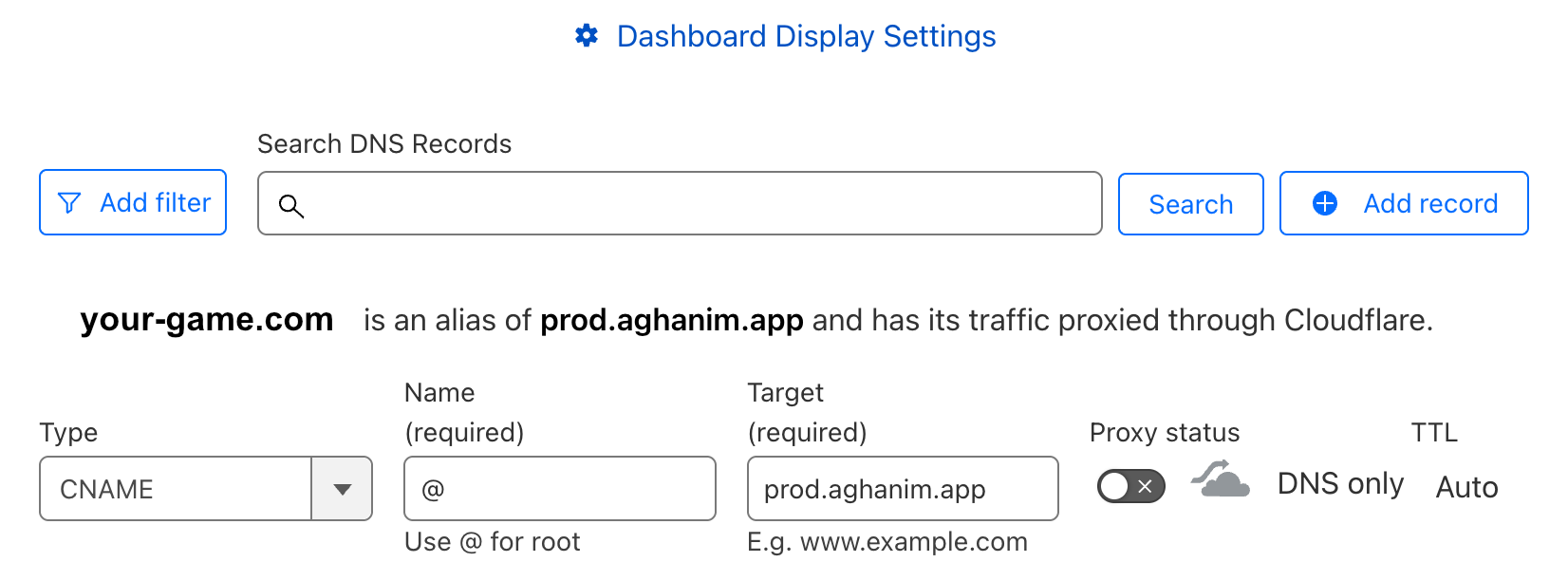
In your registrar's control panel, create a DNS record pointing to prod.aghanim.app:
CNAME: prod.aghanim.app
Please note, you need to use a CNAME, not an A record.
Example of configuring DNS records in the control panel of the registrar
3. Send us the domain name
Once the CNAME record is set up, share the exact domain name with your integration manager or email [email protected], so we can complete the configuration on our side.
4. We complete the rest
We finish the configuration on our side. The SSL certificate is issued automatically after configuration — no action is needed from your side.
Need help?
Contact our integration team at [email protected]