RSS News Plugin
This guide explains how to use the RSS News plugin to automatically import articles from any RSS feed and publish them as news in your Aghanim game hub. The plugin allows you to keep your community updated by syncing content from external sources — blogs, official websites, or any RSS-compatible publisher.
Requirements
- One or more publicly accessible RSS 2.0 feed URLs
How It Works
Once configured, the plugin periodically fetches up to 30 entries from the top of each RSS feed URL and creates new news articles in your Aghanim game hub. Each article is identified by its RSS <guid> (or link if <guid> is absent), so already imported articles are never duplicated. Existing news articles are not updated automatically — only new entries are imported on each run.
Installation and Setup
-
Navigate to the Integrations section in your Aghanim dashboard
-
Find the "RSS News" plugin
-
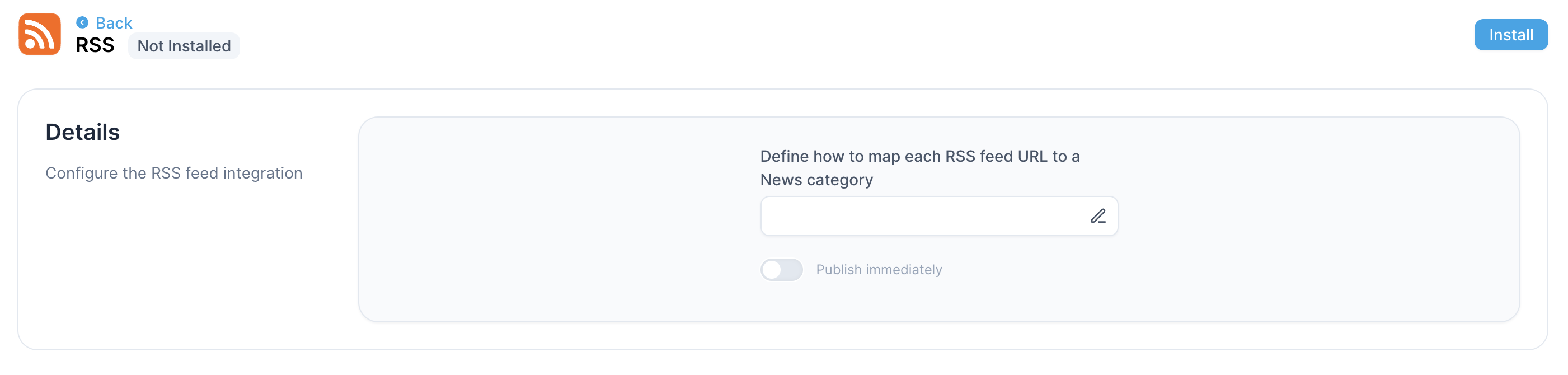
Click the edit icon in the "Define how to map each RSS feed URL to a News category" section
-
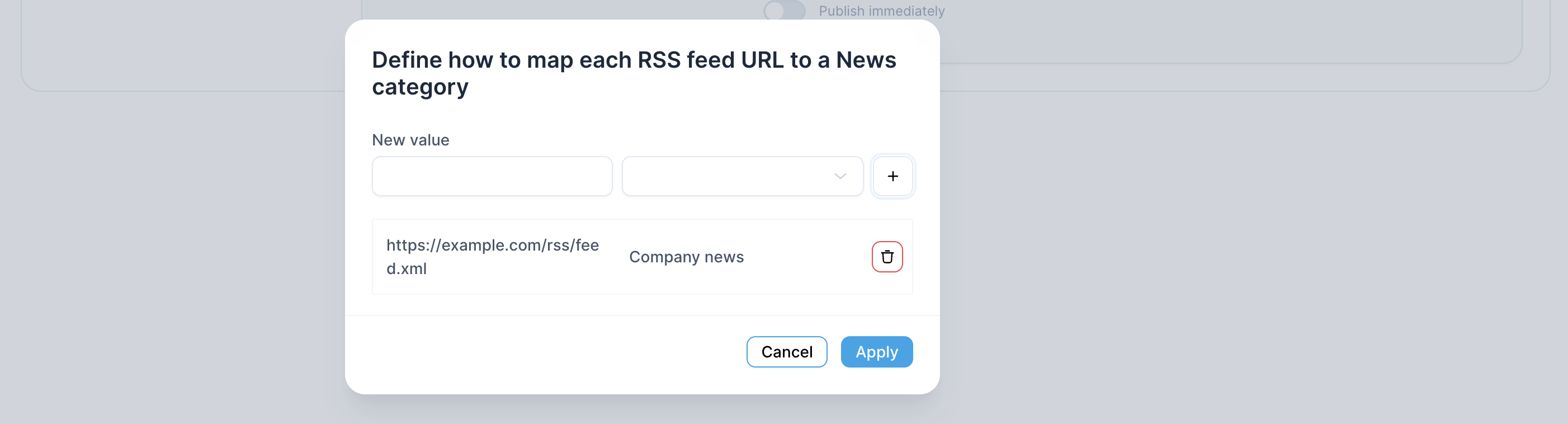
Enter the RSS feed URL (e.g.
https://example.com/rss/feed.xml) and select the news category for it
-
If you need to import news from multiple RSS feeds, click the + icon and add another RSS feed URL
-
Click Apply in the feed URL configuration popup
-
(Optional) Enable Publish immediately to have imported articles appear automatically in the hub's news section without manual review
-
Click Install on the plugin settings screen
Troubleshooting
If an error appears after you click Install, double-check that all the RSS feed URLs you entered are correct. During installation we verify that news can be fetched from each provided URL, and the plugin is not installed if we cannot retrieve entries from any of them.
Need help?
Contact our integration team at [email protected]